For global buyers, choosing a Multi-Port Converter is more than adding extra sockets to a travel bag. It means matching different power systems, device needs, and daily working habits. A laptop, phone, camera battery, and tablet may share one compact unit. This can reduce cable clutter at an airport desk or crowded hotel nightstand. Small detail. Big difference.
Experienced buyers usually check input voltage, output limits, connector types, and heat control before comparing prices. USB-C Power Delivery can be useful, but advertised wattage may not reach every port simultaneously. Read the load-sharing table. It matters. A reliable model should offer clear specifications, stable charging, suitable protection features, and documentation for its target markets. Independent laboratory reports or recognized safety certifications can strengthen confidence, although requirements differ by region. Buyers should also confirm plug compatibility, warranty coverage, return terms, and after-sales support. These checks sound ordinary. They prevent expensive surprises.
Still, no converter fits every traveler or workplace. A photographer may need fast camera charging, while a family may value four accessible ports. Some units run warmer than expected under heavy loads. That point deserves honest attention. Reviews should separate measured performance from marketing language. Comparing real charging tests, cable quality, portability, and long-term reliability gives global purchasers a more defensible decision. The best choice is not always the smallest or most powerful. It is the one that safely serves the devices, destinations, and expectations involved.
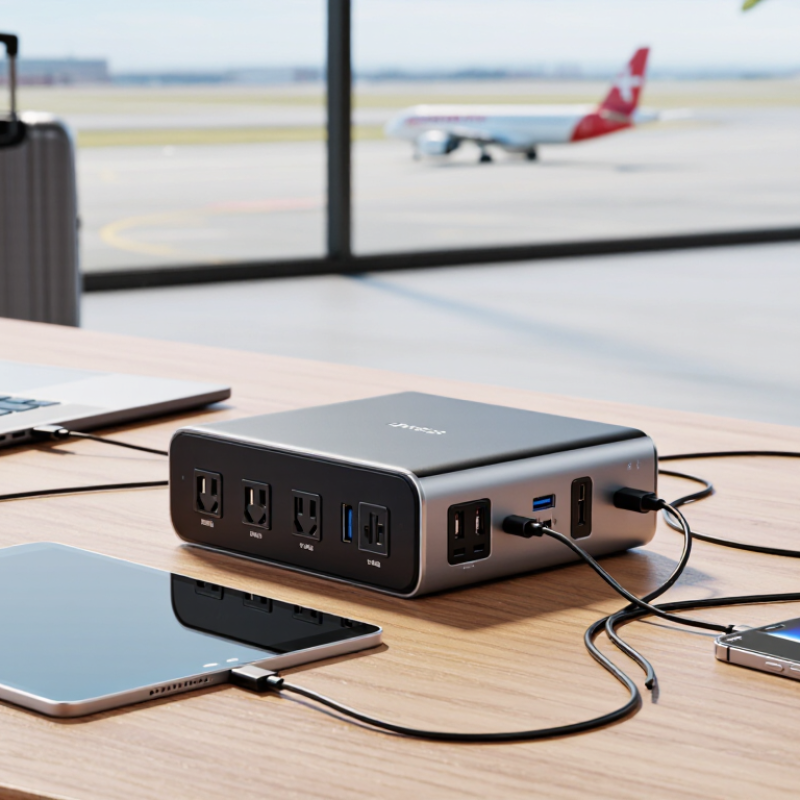
A multi-port converter is a compact device that changes electrical input into several usable outputs. It may support different voltage ranges, plug formats, and charging protocols. For global buyers, this reduces the need to carry separate adapters for phones, tablets, cameras, and laptops.
Its architecture usually includes input protection, voltage regulation, a switching circuit, and independent output controls. USB-C ports can negotiate power levels, while USB-A ports often serve smaller accessories. Some models also include surge protection, thermal sensors, and short-circuit control. These details matter in airports, hotel rooms, and shared workspaces. One socket can serve several devices.
Practical evaluation should include output limits, heat performance, and compatibility with local voltage standards. A converter rated for multiple ports may still provide less power when every port operates simultaneously. That is easy to miss. In a simple test, connect the highest-demand device first, then add smaller loads. Watch for excessive heat, unstable charging, or repeated disconnection. Global use cases include business travel, remote study, temporary offices, and field photography. The design is convenient, but not perfect. Port labels can be unclear, and power allocation may vary between models. Product documentation should state these limits plainly. Reliability depends on both engineering quality and careful use.
It changes one electrical input into several usable outputs. You can charge a phone, tablet, camera, and laptop together. That saves space in airport bags.
It usually contains input protection, voltage regulation, switching circuits, and separate output controls. USB-C ports may negotiate power levels. USB-A ports often support smaller accessories.
Not always. Total output may decrease when several ports operate simultaneously. Connect the highest-demand device first, then add smaller loads.
A compatible port may support up to 240 W under the required power standard. The converter, cable, and device must all support that level. The number alone proves little.
Connect your most demanding device first. Add other devices gradually. Watch for excessive heat, unstable charging, or repeated disconnections.
Useful protections include overload, over-temperature, surge, and short-circuit control. Thermal sensors can reduce risk during long work sessions. Protection still needs sensible use.
No. Ports may have different power limits or charging functions. Read the labels and technical documentation carefully.
Confirm the input voltage range and destination plug compatibility. Check each device’s required wattage. Use a certified cable with the correct rating.
They suit business travel, remote study, temporary offices, and field photography. One socket can serve several devices in a hotel room. Crowded workspaces may still expose awkward port spacing.
No, and that is easy to forget. Power sharing can vary between models. Labels may be unclear, while larger plugs can block nearby ports.
A Multi-Port Converter is a practical solution for global buyers who need to power and connect several devices through one compact unit. Its architecture typically combines multiple USB-C and USB-A outputs with intelligent power management, making it suitable for travel, offices, shared workspaces, and international households. With USB Power Delivery 3.1, a compatible port can support up to 240 W, although actual performance depends on the device, cable, and converter design.
When choosing a converter, compare its total wattage, PPS support, and how power is allocated when multiple ports operate at the same time. USB-C compliance is also important, especially as EU common-charger rules apply from 28 December 2024. For worldwide use, verify that the converter accepts 100–240 V input and includes or supports the regional plug standards required at your destination. These checks help ensure safe, efficient, and flexible charging across different markets.

 Soras Tech