Choosing the right Gigabit Media Converter can determine whether a network upgrade feels seamless or frustrating. Global buyers often compare fiber type, transmission distance, port design, and installation requirements. A compact converter may fit neatly beside a switch, while another requires rack mounting and better airflow. Small details matter. A bright link LED can reveal a failed connection before a technician checks the cable.
This introduction reviews ten practical models for offices, factories, campuses, security systems, and regional data networks. The selection considers 10/100/1000 Mbps support, copper and fiber compatibility, multimode or single-mode operation, and available SFP options. It also examines power inputs, operating temperature, management features, and manufacturer documentation. These factors reflect real purchasing decisions, not only laboratory specifications. A product that performs well on a clean test bench may struggle near motors, dust, or unstable power.
No ranking can suit every network. That limitation deserves attention. Some buyers may value redundant power, while others need simple plug-and-play deployment. Distance claims also require careful checking, because fiber quality, connectors, and installation practices affect actual results. Certification requirements differ across markets, so buyers should verify current regional rules before ordering. The recommendations draw on published specifications, practical deployment experience, and common network engineering principles. They are useful starting points, not absolute verdicts. Even a reliable Gigabit Media Converter needs proper cabling, ventilation, and compatibility testing before full-scale installation.
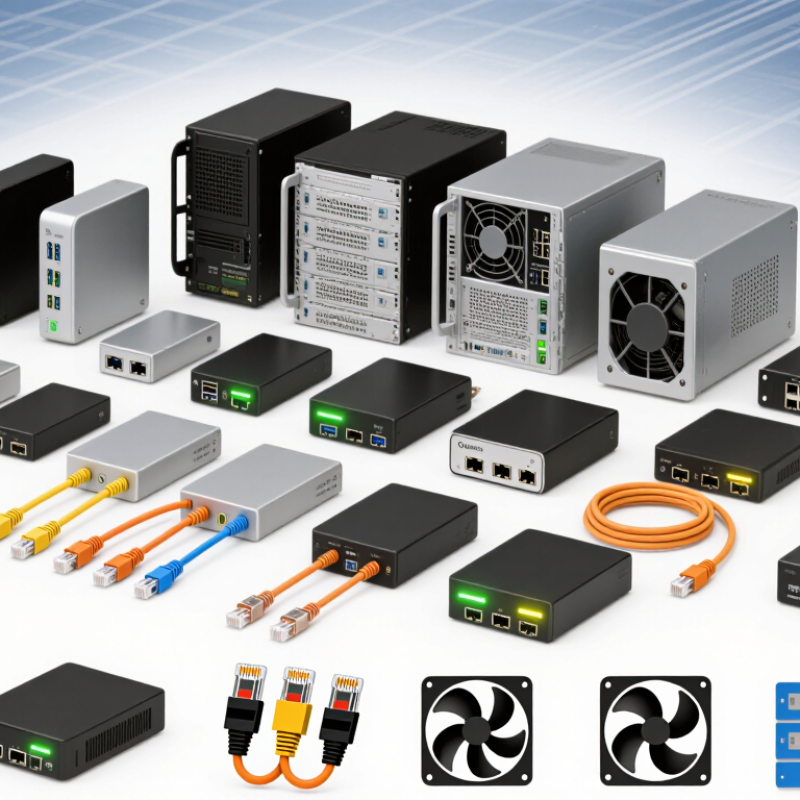
Gigabit media converters connect copper Ethernet cabling with fiber-optic links. They translate electrical Ethernet signals into light pulses, then convert received light back into data. This process preserves communication across different physical media. A typical unit supports 1,000 Mbps transmission, although real throughput depends on frame size, cable quality, and traffic. Fiber also supports longer distances and resists electromagnetic interference near motors or power equipment. The converter does not create bandwidth by itself. That distinction matters.
Inside the enclosure, a copper transceiver handles the RJ45 connection, while an optical transceiver manages the fiber port. Control circuits coordinate speed, duplex settings, link detection, and fault indicators. Some models support single-mode fiber for long links; others use multimode fiber for shorter building connections. Wavelength, connector type, and transmission distance must match at both ends. Mismatched optics remain a common, avoidable problem. Specifications can also confuse buyers when distance ratings assume ideal conditions. A careful installer should check the optical budget, not only the advertised kilometers.
Tips: Clean fiber connectors before testing. Confirm duplex or simplex requirements. Verify auto-negotiation on both devices. Leave ventilation around the converter, especially inside warm cabinets. Record link readings for maintenance. One practical mistake is testing only at startup. Cables may pass an initial check and fail after bending, vibration, or temperature changes. Monitoring link status for several days provides stronger evidence of reliability. I would also keep a spare power adapter nearby. That detail is easy to overlook.
| Rank | Converter Configuration | Copper Interface | Fiber Interface | Typical Fiber Reach | Fiber Type | Key Standards and Features | Recommended Use |
|---|---|---|---|---|---|---|---|
| 1 | Gigabit Copper to Multimode Fiber | 1000BASE-T, RJ45, Cat5e or better | 1000BASE-SX, duplex LC or SC | Up to 550 m | Multimode, 850 nm | IEEE 802.3z; auto-negotiation; full duplex | Building-to-building links inside a campus |
| 2 | Gigabit Copper to Single-Mode Fiber | 1000BASE-T, RJ45, Cat5e or better | 1000BASE-LX, duplex LC or SC | Up to 10 km | Single-mode, 1310 nm | IEEE 802.3z; low-latency Layer 2 conversion | Metropolitan and campus backbone connections |
| 3 | Gigabit Copper to Long-Distance Single-Mode Fiber | 1000BASE-T, RJ45 | 1000BASE-ZX-class, duplex LC or SC | Up to 40 km | Single-mode, typically 1550 nm | Extended optical budget; link-status LEDs | Long-distance enterprise and utility links |
| 4 | SFP-Based Gigabit Media Converter | 1000BASE-T, RJ45 | Pluggable 1000BASE-X SFP slot | Up to 120 km* | Multimode or single-mode | Interchangeable optics; LC interface is common | Flexible networks requiring future fiber upgrades |
| 5 | Single-Fiber BiDi Gigabit Converter | 1000BASE-T, RJ45 | 1000BASE-BX, simplex LC | Up to 20 km | Single-mode, WDM pair | Two complementary wavelengths; one fiber strand | Fiber-constrained routes and access networks |
| 6 | Industrial Gigabit Media Converter | 1000BASE-T, RJ45 | 1000BASE-SX, LX, or SFP | 550 m–40 km | Multimode or single-mode | DIN-rail mounting; typically −40°C to +75°C operating range | Factories, transport systems, and outdoor cabinets |
| 7 | Managed Gigabit Media Converter | 1000BASE-T, RJ45 | 1000BASE-X SFP or fixed fiber port | 550 m–120 km* | Multimode or single-mode | VLAN, remote monitoring, link fault pass-through, SNMP | Managed enterprise and service-provider networks |
| 8 | PoE+ Gigabit Fiber Converter | 1000BASE-T with IEEE 802.3af/at PoE | 1000BASE-SX, LX, or SFP | 550 m–40 km | Multimode or single-mode | Up to 30 W PSE output under IEEE 802.3at | IP cameras, wireless access points, and access control |
| 9 | Redundant-Power Gigabit Converter | 1000BASE-T, RJ45 | 1000BASE-X SFP or fixed fiber port | 550 m–120 km* | Multimode or single-mode | Dual DC inputs; alarm relay; DIN-rail option | Critical infrastructure and telecom cabinets |
| 10 | Rack-Mount Gigabit Converter Chassis | 1000BASE-T, RJ45 modules | 1000BASE-SX, LX, BX, or SFP modules | 550 m–120 km* | Multimode or single-mode | Centralized power, high port density, hot-swappable modules | Data centers, network rooms, and aggregation sites |
Check fiber type, connector, wavelength, distance, power input, and operating temperature. Advertised speed is not enough. Real throughput can differ.
Single-mode fiber usually fits extended campus or outdoor runs. Multimode fiber often works well inside buildings. Confirm the optical budget.
Factory floors may require metal enclosures, vibration resistance, and wider temperature tolerance. Dust and heat can weaken stability. Plan for airflow.
Unmanaged models simplify small branch installations. Managed models add alarms, diagnostics, VLAN support, and remote monitoring. More control costs more.
Test actual switches, transceivers, cable lengths, and power supplies together. Compatibility tables help, but they are not proof. Older equipment may behave unpredictably.
Review temperature limits, ventilation, surge protection, and input voltage. A hot cabinet can cause instability after several hours. I once underestimated airflow.
Request test reports, warranty terms, technical specifications, and regional compliance documents. Do not rely only on marketplace summaries. Details matter.
Check LED visibility, alarm behavior, replacement procedures, and remote access. Keep one spare unit for critical links. This may feel excessive.
Map every link before comparing prices. Record distance, fiber type, connector, temperature, and available power. The cheapest option may slow troubleshooting.
This guide explains what a Gigabit Media Converter is and how it connects different network media, such as copper Ethernet and fiber optic cabling, while maintaining high-speed data transmission. It outlines the main specifications buyers should compare, including transmission distance, fiber type, port standards, duplex mode, power requirements, environmental protection, and network management features. The article also presents a practical top-10 selection for global buyers, focusing on performance, reliability, compatibility, and value without promoting specific brands.
It further explains how to choose the right converter for office networks, industrial locations, data centers, outdoor installations, and long-distance links. Readers will also learn about installation procedures, cable and equipment compatibility, link indicators, heat management, firmware considerations, and routine maintenance. By evaluating technical requirements and operating conditions carefully, network planners can select a dependable Gigabit Media Converter that supports stable connectivity and future expansion.

 Soras Tech