How to Choose the Best 16 Port PoE Switches?

Time:2026-09-07 Author:Ethan
0%

Choosing the right 16-Port PoE Switches can shape the reliability, security, and future growth of a business network. These switches power devices such as IP cameras, wireless access points, VoIP phones, and smart sensors through Ethernet cables. That reduces installation complexity and keeps equipment organized in offices, warehouses, schools, and retail spaces.

A practical selection begins with the PoE standard. PoE, PoE+, and PoE++ provide different power levels for connected devices. Check each device’s power requirement before comparing switch models. A camera may need only a few watts, while a high-performance access point can demand much more. The total PoE budget also matters. Sixteen powered ports do not always mean sixteen devices can receive maximum power simultaneously.

Network speed deserves equal attention. Gigabit ports suit most modern surveillance and office systems, while uplink ports can prevent congestion between switches and core network equipment. Managed switches offer VLAN control, traffic monitoring, fault alerts, and remote configuration. Unmanaged models are simpler, but they provide less visibility when problems appear. That trade-off is easy to underestimate.

Physical conditions also influence the decision. A dusty warehouse may require stronger cooling and a durable enclosure. A quiet office may benefit from fanless operation. Look for surge protection, warranty coverage, safety certifications, and responsive technical support. Real-world testing is valuable, because product specifications can hide limitations. No switch is perfect. A careful buyer should question port speed, power claims, and management features before purchase. The best choice balances present needs with realistic expansion, not impressive numbers alone.
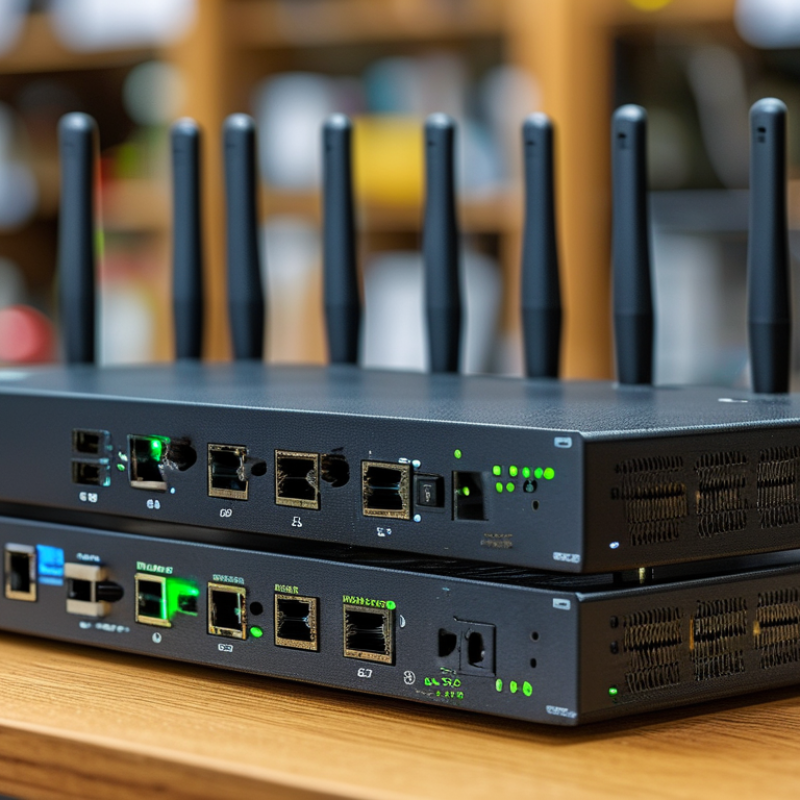
How to Choose the Best 16 Port PoE Switches?

Define Your Network’s Power and Connectivity Requirements

How to Choose the Best 16 Port PoE Switches?

Choosing a 16-port PoE switch starts with a physical inventory, not the port count. List every camera, access point, intercom, sensor, and VoIP phone. Record each device’s maximum wattage, startup demand, and location. A camera rated at 12 watts may consume more during infrared operation. Outdoor devices can also need extra power in cold weather. Small details matter.

Add the maximum power demands together before selecting the switch. Avoid calculating from average usage alone. A network with twelve 15-watt devices needs at least 180 watts under full load. Leaving 20 to 30 percent spare capacity supports future devices and unexpected demand. Check whether the switch follows IEEE 802.3af, 802.3at, or 802.3bt standards. The device and switch must support compatible power levels. That estimate may still be wrong.

Connectivity requirements deserve equal attention. Confirm whether gigabit ports can handle camera streams, wireless traffic, and local data simultaneously. A 1Gbps uplink may become congested when many cameras transmit high-resolution footage. Consider faster uplinks for busy networks. Measure cable distances, because long or damaged cables can reduce power reliability. Plan VLAN support, remote management, surge protection, and ventilation around the installation site. I once underestimated heat inside a crowded cabinet. The switch worked, but its fan became noisy and performance needed closer monitoring. Test the real load before permanent deployment.

Compare PoE Standards, Port Capacity, and Power Budget

Choosing a 16-port PoE switch starts with matching the PoE standard to each device. IEEE 802.3af typically supports up to 15.4 watts per port. IEEE 802.3at raises this to 30 watts, while IEEE 802.3bt can deliver substantially more. Cameras with heaters, wireless access points, and video intercoms may need the higher standards. Check the device label, not just the product description.

Port capacity also needs practical planning. A 16-port model may provide sixteen powered ports, but some ports can share an uplink or operate at different speeds. Confirm whether every port supports PoE simultaneously. Leave two or three ports available for future cameras or access points. That small reserve prevents disruptive upgrades. I once underestimated expansion needs and had to replace a switch earlier than planned.

The total power budget matters more than the maximum wattage of one port. Add the expected consumption of all connected devices, then keep at least 20 percent spare capacity. For example, sixteen 10-watt cameras require 160 watts, but a 200-watt budget offers safer operating room. Cable length, startup surges, and colder environments can affect performance. Do not treat the budget as a perfect number. Review the switch’s datasheet, test the busiest port group, and verify heat management inside the rack.

How to Choose the Best 16 Port PoE Switches? - Compare PoE Standards, Port Capacity, and Power Budget

PoE Profile IEEE Standard Maximum PSE Output per Port Maximum PD Input per Port 16-Port Theoretical PoE Budget Power Delivery Method Suitable Devices Selection Considerations
Standard PoE IEEE 802.3af 15.4 W 12.95 W 246.4 W Two-pair power delivery Basic IP phones, standard access points, fixed IP cameras, sensors Choose this option when connected devices require no more than 12.95 W each. It is not suitable for most PTZ cameras or high-performance wireless access points.
PoE+ IEEE 802.3at 30 W 25.5 W 480 W Two-pair power delivery Modern IP phones, dual-band access points, IR cameras, video door stations A practical choice for most business networks. Confirm the switch has enough total budget if many ports will operate near 25.5 W simultaneously.
PoE++ Type 3 IEEE 802.3bt Type 3 60 W 51 W 960 W Four-pair power delivery High-performance wireless access points, PTZ cameras, thin clients, small displays Use when individual devices require more than 25.5 W. Verify that the connected cable, patch panel, and network adapter support four-pair PoE.
PoE++ Type 4 IEEE 802.3bt Type 4 90 W 71.3 W 1,440 W Four-pair power delivery Large PTZ cameras, video conferencing systems, multi-radio access points, building-control equipment Select only when high-power devices require it. The switch power supply, cabling infrastructure, and installation environment must support the higher current and heat level.
Mixed PoE Deployment 802.3af / 802.3at / 802.3bt Depends on port type Depends on device class Use the manufacturer's rated budget Two-pair and/or four-pair delivery A combination of phones, cameras, access points, sensors, and control devices Usually the most flexible design. Check per-port limits, the total PoE budget, port prioritization, and whether the switch can reserve power for critical devices.
Planning Notes: The theoretical 16-port budget is calculated by multiplying the maximum IEEE PSE output by 16. Actual switches commonly provide a lower shared power budget because of the power supply rating, thermal design, and port-management limits. Before purchase, compare the switch's published total PoE budget with the expected device load, and keep approximately 20% spare capacity for startup current, future expansion, and power variation.

Evaluate Switching Performance, Uplink Options, and Network Management

Choosing the best 16-port PoE switch starts with switching performance, not port count.

A compact rack can still become a traffic bottleneck.

Check the switching capacity and packet-forwarding rate. These figures show how smoothly the switch handles simultaneous data flows. Security cameras, wireless access points, and VoIP phones create different traffic patterns. A camera may send steady video, while an access point produces short bursts. Leave practical headroom for future devices. I usually avoid running a switch near its rated limit. Real networks are rarely quiet.

Uplink options deserve close attention. Gigabit uplinks may suit a small office, but faster uplinks help when several ports share video or backup traffic. Fiber uplinks can connect distant rooms and reduce interference near electrical equipment. Copper uplinks are simpler for short runs. Confirm the connector type, cable distance, and whether uplinks support aggregation. I once overlooked uplink capacity during an installation. The access ports performed well, yet the shared link became congested.

Network management separates a dependable switch from a difficult one. Look for VLAN support, loop prevention, traffic prioritization, and per-port PoE scheduling. A web interface should display power use, link status, errors, and connected devices clearly. Remote monitoring through standard protocols can shorten troubleshooting time. Firmware updates also matter. Test the management interface before deployment, because confusing menus waste valuable maintenance hours. Keep configuration backups. Even careful planning misses something.

Check Security Features, Reliability, and Installation Flexibility

Choosing a 16-port PoE switch starts with the devices it must protect and power. In a small office, I check whether cameras, access points, and phones need separate VLANs. Managed security features should include VLAN support, access control lists, HTTPS, SSH, and role-based accounts. Disable unused ports and change default credentials before connecting the switch. If 802.1X is required, confirm compatibility with your authentication server, not just the product sheet. Keep logs enabled. They reveal failed logins and unusual port activity.

Reliability is more than a high PoE wattage number. Calculate each device’s peak demand, then leave practical headroom for startup loads and future additions. Look for overload protection, surge resistance, temperature monitoring, and a clear event log. A fanless design can reduce dust and noise, but heat still needs an escape route. Install it away from sealed cabinets and direct sunlight. I have seen a “stable” switch reboot because its power supply was undersized. Specifications help, but measured behavior matters. Test every port under load.

Installation flexibility can save hours later. A wall-mount kit suits a wiring closet, while rack ears support a clean cabinet layout. Removable brackets, labeled ports, and rear cable clearance make maintenance less awkward. Check whether the power cord, uplink ports, and PoE budget fit your actual cabinet. Leave room for airflow. Do not assume a compact switch fits every enclosure. I once overlooked a depth limit and had to reroute cables. That mistake was avoidable. A short trial installation can expose heat, noise, and cable problems before they affect users.

Balance Total Cost, Scalability, and Long-Term Support

How to Choose the Best 16 Port PoE Switches?

The lowest purchase price rarely reflects the real cost of a network upgrade. Compare the switch price, installation time, power consumption, and replacement risk. A 16-port model should provide enough PoE budget for every connected device, not just the first few cameras. Check whether it supports relevant PoE standards, such as 802.3af or 802.3at. Leave practical headroom for future access points and sensors. Otherwise, expansion becomes expensive.

Scalability also depends on uplink capacity and management features. Gigabit uplinks may suit a small office, while faster uplinks can prevent congestion from several video streams. Look for VLAN support, traffic monitoring, loop prevention, and dependable remote administration. In real installations, heat matters more than many buyers expect. A warm cabinet can shorten equipment life. Fanless designs are quiet, but not always ideal for crowded racks. That trade-off deserves careful thought.

Tips: Calculate the actual PoE load, then add at least 20 percent spare capacity. Ask about firmware updates, warranty length, replacement procedures, and technical support hours. Confirm the switch fits your rack, power circuit, and cable layout. Test management access before deployment. Small oversights can become long service calls. I would also document port assignments, because memory fades quickly. Long-term support is easy to ignore until something fails. Choose a supplier with clear documentation and a realistic maintenance path, even if the initial price is slightly higher.

FAQS

: What devices can a 16-port PoE switch support?

: It can power cameras, wireless access points, phones, and other compatible network devices. Check each device’s peak power demand.

How much spare PoE capacity should I keep?

Calculate the total peak load and keep at least 20 percent spare capacity. This supports startup surges and future devices.

Which security features should I check?

Look for VLANs, access control lists, HTTPS, SSH, and role-based accounts. Disable unused ports. Change default credentials.

Is 802.1X compatibility important?

Yes, when your network uses an authentication server. Confirm real compatibility through testing, not product specifications alone.

How can I check switch reliability?

Review overload protection, surge resistance, temperature monitoring, and event logs. Test every port under realistic load.

Where should I install the switch?

Place it away from direct sunlight and sealed cabinets. Leave space for airflow. Heat still matters.

Should I choose a fanless design?

Fanless models reduce noise and dust exposure. However, crowded racks may still become too warm. Quiet is not always cooler.

What installation details should I verify?

Check rack depth, wall-mount options, cable clearance, power-cord position, and uplink placement. A compact switch may not fit every enclosure.

How can I compare the total cost?

Include purchase price, installation time, power use, support, and replacement risk. A cheaper switch can create longer service calls.

What should I document before deployment?

Record port assignments, device locations, PoE loads, and management access details. Memory fades quickly. I once missed a depth limit, and cable rerouting followed.

Conclusion

Choosing the right 16-Port PoE Switches starts with understanding your network’s power and connectivity needs. Determine how many devices require Power over Ethernet, their power levels, and whether future expansion is likely. Compare PoE standards, available port capacity, and the total power budget to ensure the switch can support cameras, access points, phones, and other connected equipment without overload. It is also important to review switching performance, uplink speeds, and management options such as VLAN, traffic control, monitoring, and remote configuration.

Security, reliability, and installation flexibility should also guide your decision. Look for features such as access control, network protection, surge resistance, efficient cooling, and flexible mounting options. Finally, evaluate the total cost of ownership rather than focusing only on the purchase price. Consider energy efficiency, maintenance, scalability, warranty coverage, software support, and replacement availability. A well-balanced switch should meet current requirements while providing stable performance and room for future network growth.

Ethan

Ethan

Ethan is a seasoned marketing professional with a deep expertise in our company's innovative product line. With a passion for sharing knowledge and insights, he takes the lead in regularly updating our corporate blog, where he explores industry trends, product features, and effective marketing......