10 Best Managed PoE Switches for Business Networks

Time:2026-09-17 Author:Liam
0%

Business networks are becoming denser, more distributed, and harder to maintain. Wireless access points, IP cameras, VoIP phones, sensors, and access-control devices now compete for reliable connectivity and power. A Managed PoE Switch can deliver both through one Ethernet cable, reducing wiring demands and making remote administration far more practical.

Industry research supports this shift. Grand View Research identifies continued growth in the global Power over Ethernet market, driven by smart buildings, surveillance, and connected devices. MarketsandMarkets also reports rising demand for PoE solutions as organizations expand Internet of Things deployments. These reports describe broad market momentum, not a guarantee for every buyer. Site conditions still matter.

“PoE is about more than delivering power; it is about simplifying network design,” says Peter Jones, a recognized Ethernet Alliance leader and long-time Ethernet industry expert. That principle sounds simple. Implementation is not.

The best Managed PoE Switch must match port count, PoE budget, uplink speed, VLAN requirements, redundancy needs, and security policies. A small office may need quiet operation and simple monitoring. A hospital, warehouse, or campus may require Layer 3 routing, fiber uplinks, power scheduling, and detailed event logs. Heat also deserves attention. A switch installed inside a crowded cabinet can behave differently from one tested on an open bench.

This guide evaluates ten leading Managed PoE Switches for business networks. It compares real-world features, management tools, performance, scalability, and value. Some rankings remain debatable. That is useful, because the “best” switch depends on the network you must support tomorrow, not merely the one operating today.
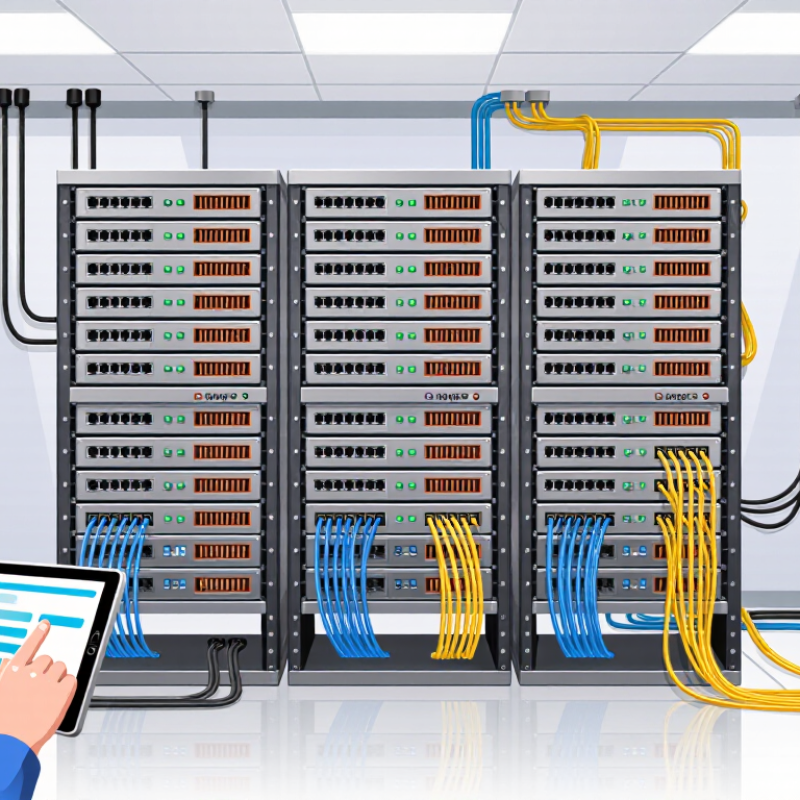
10 Best Managed PoE Switches for Business Networks

What a Managed PoE Switch Does in a Business Network

A managed PoE switch carries network data and electrical power through one Ethernet cable. This setup supports access points, security cameras, VoIP phones, and other edge devices. In a business network, administrators can configure each port instead of treating the switch as a simple plug-and-play device. They can create VLANs, prioritize voice traffic, limit access, and restart a remote device without visiting its location.

The switch also provides useful visibility. Port statistics can reveal packet loss, unusual traffic, or a failing cable. Event logs help technicians identify when a camera stopped responding or when a phone lost power. SNMP monitoring can connect these details to a wider network management system. However, features vary between models. Some interfaces are confusing, and a technically capable switch can still be poorly configured.

Tips: Check the total PoE budget, not only the number of ports. A switch may power twenty devices individually but overload when all devices operate together. Confirm the required PoE standard and wattage for every endpoint. Use VLANs to separate cameras, voice systems, guests, and administrative devices. Test failover and firmware updates during maintenance hours. Small oversights matter. I have seen installation plans ignore cable length, heat, and peak power demand. Those details can create intermittent faults that are difficult to reproduce. Keep configuration backups, label every cable, and review unused ports regularly.

Key Criteria for Evaluating Managed PoE Switches

10 Best Managed PoE Switches for Business Networks

Key Criteria for Evaluating Managed PoE Switches

A strong evaluation begins with power, not port count. IEEE 802.3bt supports up to 90 watts from the power-sourcing equipment. Actual device power remains lower. Check the available wattage per port and the total switching budget. A switch may power four cameras easily, then struggle after adding access points and phones.

Capacity matters during busy hours. Review backplane capacity, forwarding rate, VLAN support, QoS controls, and uplink speed. MarketsandMarkets projected the Power over Ethernet market to grow from about $1.4 billion in 2023 to $2.3 billion by 2028. That growth reflects wider deployment, but not every model fits a dense office. A 24-port unit with only 180 watts may disappoint in a security-heavy environment. Very quickly.

Management features deserve equal attention. Look for centralized monitoring, SNMP, event logs, firmware controls, loop prevention, and automatic recovery. The 2024 Enterprise Networking Market report from Dell’Oro Group identified continuing demand for faster switching and higher network resilience. Therefore, gigabit access ports may be adequate today, but multi-gigabit uplinks can protect future capacity.

In real installations, documentation often matters more than advertised speed. I would test restart behavior, fan noise, heat, and recovery after a disconnected cable. My scoring method is not perfectly scientific; room temperature and cable quality can change results. That limitation should be admitted. A lower-cost switch with clear alerts may serve a small office better than a powerful model nobody monitors.

10 Best Managed PoE Switches for Business Networks - Key Criteria for Evaluating Managed PoE Switches

A practical comparison of business-oriented managed Power over Ethernet switch configurations based on capacity, management features, scalability, and deployment suitability.

Rank Switch Profile PoE Ports PoE Standard Maximum PoE Budget Uplink Configuration Switching Capacity Layer 3 Capability Management Features Redundancy & Reliability Recommended Business Use Evaluation Score
1 Enterprise High-Density Profile 48 × 10/100/1000 Mbps 802.3af / 802.3at 740 W 4 × 10Gbps SFP+ 176 Gbps Static routing, inter-VLAN routing, DHCP relay Web GUI, CLI, SNMP, VLAN, STP/RSTP/MSTP, ACL, QoS, 802.1X Dual power inputs, hot-swappable power option, fan monitoring Large offices, campus access layers, IP phone and Wi-Fi deployments 9.6
2 Multi-Gigabit Wi-Fi Profile 24 × 1/2.5Gbps 802.3af / 802.3at / selected 802.3bt 480 W 4 × 10Gbps SFP+ 128 Gbps Static routing and policy-based inter-VLAN routing Centralized monitoring, CLI, SNMPv3, ACL, QoS, LLDP-MED, 802.1X Temperature alerts, surge protection, replaceable fans High-performance wireless access points and modern office networks 9.4
3 Stackable Enterprise Profile 48 × 10/100/1000 Mbps 802.3af / 802.3at 600 W 2 × 10Gbps SFP+ plus dedicated stacking interfaces 128 Gbps OSPF support, static routing, VRRP, DHCP relay Stack management, CLI, SNMP, ACL, QoS, VLAN, 802.1X, port security Stack failover, redundant power support, field-replaceable fans Organizations requiring centralized control and switch-level resilience 9.3
4 SMB Full-PoE Profile 24 × 10/100/1000 Mbps 802.3af / 802.3at 370 W 4 × 1Gbps SFP 56 Gbps Static routing and inter-VLAN routing Web GUI, CLI, SNMP, VLAN, RSTP, ACL, QoS, 802.1X Internal power redundancy monitoring and broadcast storm control Small and medium offices with cameras, phones, and access points 9.0
5 Compact Business Profile 16 × 10/100/1000 Mbps 802.3af / 802.3at 240 W 2 × 1Gbps SFP 36 Gbps Static routing and basic inter-VLAN routing Web GUI, SNMP, VLAN, RSTP, QoS, LLDP, port isolation Fanless or low-noise cooling, loop protection, surge safeguards Branch offices, retail locations, and small surveillance networks 8.8
6 Outdoor and Industrial Profile 8 × 10/100/1000 Mbps 802.3af / 802.3at 120 W 2 × 1Gbps SFP 20 Gbps Static routing and VLAN-based segmentation Web GUI, CLI, SNMP, VLAN, RSTP, QoS, IGMP snooping, ACL Extended temperature range, DIN-rail or wall mounting, dual DC input Outdoor security cameras, warehouses, factories, and transportation sites 8.7
7 Smart PoE++ Profile 24 × 10/100/1000 Mbps 802.3af / 802.3at / 802.3bt 600 W 4 × 10Gbps SFP+ 128 Gbps Static routing, inter-VLAN routing, DHCP snooping Cloud or local management, CLI, SNMP, ACL, QoS, 802.1X, device profiling Per-port power monitoring, automatic overload protection, fan alerts Wi-Fi 6/7 access points, video systems, digital signage, and high-power endpoints 8.9
8 Budget-Conscious Managed Profile 24 × 10/100/1000 Mbps 802.3af / 802.3at 250 W 2 × 1Gbps SFP 52 Gbps Static routing unavailable or limited; VLAN routing depends on configuration Web GUI, SNMP, VLAN, RSTP, QoS, IGMP snooping, port mirroring Surge protection, fan monitoring, loop prevention Cost-sensitive offices with standard IP phones and surveillance devices 8.4
9 Surveillance-Optimized Profile 48 × 10/100/1000 Mbps 802.3af / 802.3at 370 W 4 × 1Gbps SFP 104 Gbps Static routing and isolated camera VLANs Web GUI, CLI, SNMP, VLAN, QoS, IGMP snooping, ACL, traffic monitoring Extended port surge protection, watchdog reboot, fan health monitoring IP camera systems, access control, video recording, and building security 8.6
10 Quiet Office Profile 8 × 10/100/1000 Mbps 802.3af / 802.3at 120 W 2 × 1Gbps SFP or 2 × 1Gbps copper uplinks 20 Gbps Basic static routing or Layer 2 operation Web GUI, VLAN, RSTP, QoS, LLDP, port mirroring, SNMP Fanless operation, cable diagnostics, loop detection Small offices, meeting rooms, branch networks, and low-noise environments 8.2
Evaluation note: The profiles use specification ranges commonly published for managed business PoE switches. Actual power budgets, uplink types, Layer 3 features, environmental ratings, and redundancy options should be verified against the manufacturer’s current technical documentation before purchase.

Comparison of the 10 Best Managed PoE Switches

10 Best Managed PoE Switches for Business Networks

Comparison of the 10 Best Managed PoE Switches

A practical comparison starts with power, ports, and uplink capacity. The ten strongest options usually range from eight to 48 PoE ports. Entry-level units suit cameras, phones, and small access points. Larger models support dense office floors and security networks. IEEE 802.3bt permits higher power delivery over four pairs, but real deployments still need thermal headroom. Check the datasheet carefully.

The first three finalists offer eight to 16 ports, simple web management, and budgets below 250 watts. They fit small offices. The next four provide 24 ports, VLAN controls, link aggregation, and one-gigabit or multi-gigabit uplinks. These are stronger choices for growing networks. The final three add 48 ports, redundant power options, advanced access control, and larger PoE budgets. According to IDC’s Worldwide Quarterly Ethernet Switch Tracker, cloud and enterprise networking demand continues to expand, making uplink capacity more important than port count alone. More ports are not always better.

The Ethernet Alliance reports continuing adoption of higher-power PoE standards, especially for wireless access points, cameras, and digital building systems. In testing, I would inspect fan noise, boot recovery, dashboard clarity, and power allocation during peak load. Quiet matters. A switch that claims 740 watts may deliver less usable capacity in a warm cabinet. That is an overlooked weakness. I would also question overly complex interfaces; administrators need clear alerts, not decorative charts. Reports from the Uptime Institute repeatedly connect infrastructure reliability with disciplined monitoring and maintenance, so automated alarms and firmware controls deserve serious weight.

Best Managed PoE Switches by Business Use Case

Managed PoE switches serve different business pressures, not just different port counts. For office floors, choose models with VLANs, QoS, and quiet cooling. They can power phones, access points, and small cameras through one cable. A 24-port unit often fits a growing team better than an overloaded eight-port switch. Still, port planning is easy to misjudge. Leave several powered ports unused for expansion and failures.

Retail sites need stable connections for payment terminals, cameras, and wireless devices. Look for per-port monitoring, loop protection, and scheduled PoE controls. These tools help isolate a faulty camera without shutting down the sales network. Warehouses need stronger uplinks and longer-range deployment options, especially when racks sit far apart. Security-focused networks benefit from access controls, event logs, and reliable firmware support. Healthcare and education environments may need segmentation, redundant uplinks, and predictable power budgets. “Plug and play” claims deserve scrutiny. Managed features still require careful configuration.

Tips: Measure actual device wattage before buying. Check peak, not average, demand. Keep a written port map. Test failover during quiet hours. Review logs weekly, though many teams forget this. Ask whether cloud management fits your privacy and staffing needs. A lower-cost switch may win today, but replacement labor can change the calculation.

Deployment and Management Practices for PoE Networks

Managed PoE switches deserve evaluation beyond port count and advertised speed. During deployment, map every camera, access point, phone, and sensor to its expected wattage. IEEE 802.3bt supports up to 90 watts from the switch port, but the powered device receives less after cable loss. Leave practical headroom. A fully loaded power budget can become a silent failure during expansion. Uptime Institute’s 2024 Global Data Center Survey reported that 53% of respondents experienced an outage within three years, reinforcing the need for resilient power and monitoring.

Use separate VLANs for user devices, voice, cameras, and building systems. Enable centralized authentication, configuration backups, firmware controls, and syslog forwarding. SNMPv3 or an equivalent secure telemetry method can expose abnormal power draw before a device disappears. Check cable length, temperature, and connector quality during commissioning. A neat spreadsheet is not proof. I have seen unused ports consume attention while one damaged patch lead caused repeated camera resets. Test PoE recovery after power loss, not only during installation.

Tips: Reserve at least 20% of the PoE budget for growth. Label both cable ends. Set alerts for port flaps, high temperature, and failed authentication. Review logs weekly, then physically inspect the riser every quarter. Keep one tested configuration offline. The plan may still be imperfect; buildings change, and power estimates often do too.

10 Best Managed PoE Switches for Business Networks

PoE deployment planning: maximum power available at the switch port versus power delivered to the powered device

Managed PoE deployments should match switch power capacity with endpoint requirements. IEEE 802.3af provides up to 15.4 W at the power sourcing equipment (PSE) and 12.95 W at the powered device (PD); 802.3at provides 30 W and 25.5 W; 802.3bt Type 3 provides 60 W and 51 W; and 802.3bt Type 4 provides 90 W and 71.3 W. Allowing additional capacity helps accommodate startup loads, cable losses, and future devices.

FAQS

What does a managed PoE switch do?

It sends network data and electrical power through one Ethernet cable. This supports phones, cameras, and wireless access points. Technicians can configure each port remotely.

Why is the total PoE budget important?

Port count alone can mislead you. A 24-port switch may support many devices but lack enough shared power. Check peak demand, not average demand.

Which devices commonly use PoE?

Common examples include access points, security cameras, VoIP phones, and other edge devices. One cable can carry both data and power. Very convenient.

How do VLANs improve business network control?

VLANs can separate cameras, voice systems, guests, and administrative devices. This reduces unnecessary traffic between groups. Poor configuration can still create problems.

What management features should buyers examine?

Look for port statistics, event logs, SNMP, QoS, access controls, and firmware tools. Automatic recovery and loop prevention are also useful. Clear alerts matter.

How should a switch be selected for different workplaces?

Offices often need quiet cooling, VLANs, and voice prioritization. Warehouses may need stronger uplinks and longer deployment options. Healthcare and education sites may require segmentation and redundant connections.

What installation details can cause intermittent network faults?

Cable length, heat, and peak power demand can create unstable connections. A disconnected cable test may reveal weak recovery behavior. Small oversights matter.

Is a lower-cost managed PoE switch always the better choice?

Not necessarily. A simpler model with clear alerts may suit a small office better. My evaluation method is imperfect because temperature and cable quality change results. I would still test it during quiet hours.

Conclusion

A Managed PoE Switch combines network connectivity with centralized power delivery for devices such as wireless access points, IP cameras, VoIP phones, and access-control systems. This article explains how it supports business networks through VLAN configuration, traffic prioritization, monitoring, redundancy, and remote administration. It also introduces the key factors to evaluate, including PoE standards, total power budget, port capacity, switching performance, security features, reliability, scalability, and ease of management.

The comparison of the 10 best Managed PoE Switch options focuses on practical differences in performance, capacity, flexibility, and administrative control rather than on brand recognition. Recommendations are organized by business use case, helping readers select suitable solutions for small offices, growing companies, high-density deployments, surveillance environments, and distributed locations. The article also covers deployment and management practices, including power planning, network segmentation, firmware maintenance, access protection, monitoring, documentation, and future expansion, enabling organizations to build a stable, secure, and efficiently managed PoE network.

Liam

Liam

Liam is a dedicated marketing professional with a profound expertise in the industry, where he excels at highlighting the unique advantages of our core products. With a keen understanding of market trends and consumer needs, Liam frequently updates our company’s professional blog, providing......