Fiber networks now carry business traffic, surveillance video, cloud applications, and industrial data. The practical question is simple: which converter remains dependable when conditions become difficult?
A Fiber Media Converter links different network media, such as copper Ethernet and fiber optic cable. It can extend transmission distances, reduce electromagnetic interference, and simplify upgrades. According to MarketsandMarkets, the global fiber optics market is projected to grow from approximately $9.2 billion in 2024 to $15.5 billion by 2029. Grand View Research also reports strong growth in fiber optic cable demand through 2030. These reports focus on broader fiber infrastructure, not converters alone. That distinction matters.
Jim Hayes, president of the Fiber Optic Association, has said, “Fiber optics is not rocket science, but it does require some specialized knowledge and skills.” His observation applies directly here. Choosing the wrong converter can create unstable links, mismatched speeds, or frustrating intermittent faults.
This guide reviews seven Fiber Media Converter models for reliable networks. The evaluation considers transmission distance, supported speeds, connector types, industrial durability, power options, and management features. We also examine installation realities, including crowded racks, dusty cabinets, and long outdoor cable runs.
Specifications rarely tell the entire story. A model may look excellent on paper, yet perform poorly with unsuitable modules or weak power supplies. That uncertainty deserves attention. The selected products are compared carefully, but no single converter fits every network.
A dependable choice should match today’s requirements and tomorrow’s expansion plans. Small details matter. Often, they decide uptime.
What Fiber Media Converters Do in Modern Networks
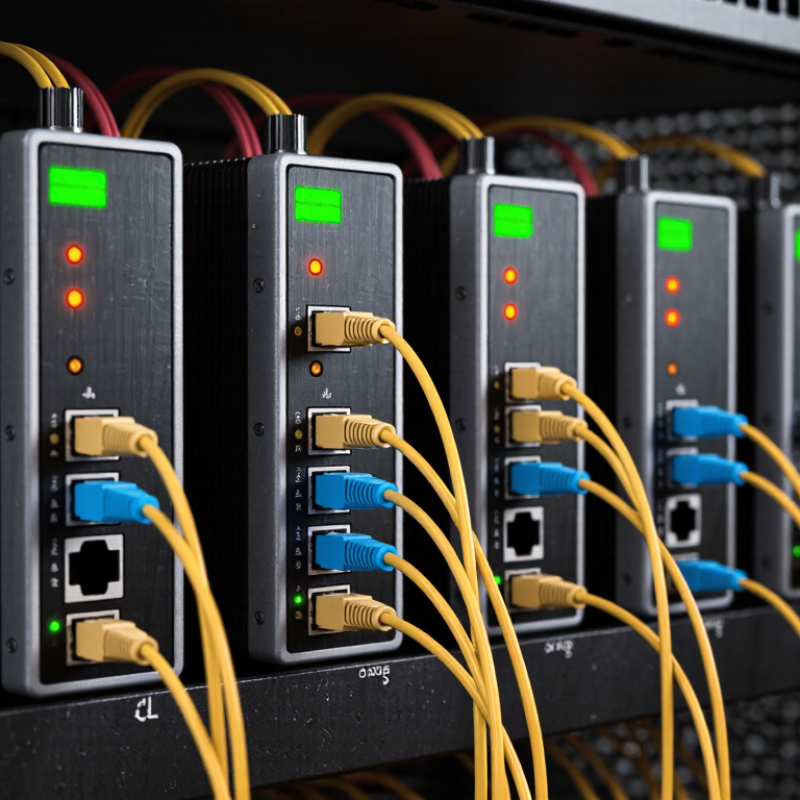
Fiber media converters connect different network media, usually copper Ethernet and optical fiber. They translate electrical signals into light, then convert incoming light back into data. This allows existing switches, cameras, servers, and access points to communicate across longer distances.
The seven most useful converter types serve different network conditions.
-
Copper-to-fiber units suit office links and building-to-building connections.
-
Single-mode converters support long-distance routes, while multimode models fit shorter indoor runs.
-
Managed converters provide remote monitoring, fault alerts, and traffic controls.
-
PoE converters can carry power to cameras or wireless access points through suitable fiber links.
-
Industrial models tolerate vibration, dust, and wider temperature changes.
-
Redundant converters help maintain service when one power path fails.
-
Compact desktop models work well in small cabinets or temporary installations.
Details matter. Check the fiber type, connector, transmission distance, Ethernet speed, and power budget before installation. A converter rated for 10 kilometers may not perform reliably with poor splicing or excessive bends. I have seen a stable link fail because a technician mixed incompatible optical modules. Small errors become expensive. Label both ends, clean connectors, and test loss with proper equipment. Managed features are valuable, but they add configuration work and another possible failure point. A simple unmanaged converter may be more dependable for an isolated link. In modern networks, the best choice is not the most advanced unit, but the one that matches the actual path, workload, and maintenance skills.
Key Specifications for Selecting a Reliable Converter
Reliable networks depend on more than advertised speed. The ITU Facts and Figures 2023 report counted 5.4 billion internet users worldwide. That pressure makes converter selection a practical engineering decision.
Check the required data rate, fiber type, wavelength, and transmission distance. Single-mode fiber supports longer links, while multimode fiber usually suits shorter building runs.
Confirm the optical budget, not only the distance. A weak budget can produce intermittent links.
Choose a converter supporting the correct Ethernet standard, duplex mode, and connector type. IEEE 802.3 specifications help verify speed and signaling compatibility. Managed models can provide link alarms, remote monitoring, and diagnostic readings.
Digital diagnostics can reveal temperature, voltage, and optical power before failure. Also inspect operating temperature, surge protection, enclosure design, and expected service life.
The Uptime Institute Global Data Center Survey 2024 continues to identify human error as a major outage factor. Clear status indicators reduce troubleshooting mistakes. They do not eliminate them.
Tips:
Keep a small compatibility record for every installed module. Label fiber pairs at both ends. Test insertion loss after installation, then save the results. I have seen “plug-and-play” projects fail because polarity was reversed. That detail is easy to miss. Avoid choosing the cheapest unit automatically. A lower purchase price may bring weaker diagnostics, limited temperature tolerance, or difficult replacement. Recheck the link budget after adding patch panels, adapters, and future cable sections. Planning for expansion is imperfect, but ignoring it is usually more expensive.
Seven Fiber Media Converters Compared by Network Requirements
Choosing a fiber media converter should begin with network requirements, not appearance. The seven practical options below serve different environments. An unmanaged gigabit converter suits small offices with simple links. A single-mode model supports long-distance connections between buildings. A multimode unit fits shorter runs inside data rooms. Check fiber type carefully; a mismatch can leave the link dark.
Power needs change the decision. A PoE converter can carry data and power to cameras, access points, or intercoms. An industrial hardened converter handles vibration, dust, and wider temperature changes. A managed converter adds alarms, diagnostics, and traffic monitoring for networks where downtime is expensive. These features require configuration, though, and an untrained operator may create avoidable problems.
For flexible upgrades, an SFP-based converter accepts replaceable optical modules. It can adapt as distance or fiber type changes. However, module compatibility deserves close inspection. A serial-to-fiber converter helps older control equipment communicate across protected fiber paths. Confirm protocol support before installation. In field testing, link LEDs helped locate faults quickly, but LEDs alone did not prove stable performance. Measure throughput, latency, and temperature under real traffic. Leave space around the enclosure. Heat often receives less attention than bandwidth.
Steps for Installing and Configuring a Fiber Media Converter
Installing a fiber media converter starts with checking compatibility. Match the fiber type, connector, transmission distance, and network speed. A mismatch can create unstable links or silent packet loss. Inspect both fiber ends under proper lighting. Clean connectors carefully before insertion.
Power off nearby equipment before connecting copper and fiber cables. Keep the fiber bend radius gentle, especially inside a crowded cabinet. Connect the fiber pair to the correct transmit and receive ports. Then attach the Ethernet cable to the switch or endpoint. Restore power and watch the link indicators.
Small details matter.
For a managed converter, open its configuration interface and set the required speed, duplex mode, VLAN behavior, and management address. Avoid forcing settings unless the connected device uses matching values. Automatic negotiation is often safer for ordinary Ethernet links. Test the connection with a continuous ping and a measured file transfer. Check latency, packet loss, and link stability over several minutes.
Do not trust LEDs alone.
I have seen a healthy-looking link fail because one connector was slightly contaminated. Another installation worked only after replacing a sharply bent patch cord. Record port settings, cable length, test results, and installation dates. This record makes future troubleshooting faster, although it may feel unnecessary during a rushed deployment. Recheck the link after cabinet doors close, since pressure can shift a poorly routed fiber.
7 Best Fiber Media Converters for Reliable Networks
Ethernet link-rate reference for selecting a fiber media converter and planning installation requirements.
The chart compares nominal data rates defined by common Ethernet fiber standards. Actual throughput depends on duplex settings, cabling, transceiver type, connector quality, and network equipment compatibility. Select a converter that supports the required Ethernet rate and the correct fiber mode, wavelength, and transmission distance.
Maintenance and Troubleshooting for Stable Network Performance
Reliable fiber media converters need disciplined maintenance, not occasional attention.
In field inspections, dust on an optical connector often causes unstable links before hardware failure appears. Clean connectors with approved tools, then inspect them under magnification. Do not touch the end face. Check link LEDs, duplex settings, fiber type, and temperature during each service visit. A simple maintenance log should record port errors, optical readings, cable changes, and cleaning dates.
Uptime Institute’s 2024 Annual Outage Analysis reported that 54% of significant outages cost more than $100,000.
That figure makes preventive checks practical, not cosmetic. Monitor packet loss and error counters continuously, especially across long fiber runs. Test spare converters before storing them. A dead spare is not a spare. Keep power supplies separated from high-heat equipment, and confirm ventilation around every converter. Small airflow restrictions can raise internal temperatures over time.
Troubleshooting should move from simple causes to complex ones.
Replace the patch cable first, then clean and reseat connectors. Verify wavelength compatibility and transmission distance against technical specifications. Use an optical power meter when LED status seems normal but traffic drops. IEEE 802.3 standards define important Ethernet behaviors, yet real installations still suffer from poor labeling and undocumented changes. I have seen reliable equipment fail after one careless cable move. That is a useful warning. When repeated faults remain unexplained, review grounding, power quality, and environmental records instead of replacing hardware immediately.
Conclusion
A Fiber Media Converter plays a vital role in modern networks by connecting fiber-optic links with copper-based Ethernet devices. It helps extend transmission distances, improve signal stability, and support communication between different types of network equipment. When selecting a reliable converter, network administrators should evaluate fiber type, transmission distance, data speed, port standards, power options, operating temperature, and management features. These specifications determine whether the device can meet the demands of office, industrial, surveillance, or data communication environments.
The seven recommended converter types can be compared according to practical network requirements, such as long-distance transmission, high-speed connections, compact installation, redundant power, or harsh operating conditions. Proper installation involves checking compatibility, connecting fiber and Ethernet cables correctly, configuring speed or duplex settings when necessary, and verifying link indicators. Regular maintenance should include cleaning connectors, inspecting cables, monitoring power and temperature, and reviewing network performance. When problems occur, checking the power supply, fiber polarity, port settings, and indicator status can help identify and resolve faults quickly.

 Soras Tech