Global networks are entering a demanding PoE Extender cycle in 2026. Cameras, access points, intercoms, and industrial sensors now operate beyond standard Ethernet distances. A single copper run may need to cross warehouses, parking areas, or narrow service corridors. That distance changes everything.
PoE Extender products are not identical. Buyers will compare powered, non-powered, outdoor, industrial, managed, and fiber-linked designs. Each type solves a different installation problem. A powered extender can refresh both data and energy. A non-powered model may depend on the original power budget. Industrial versions usually require stronger temperature, vibration, and surge protection. Outdoor units need careful attention to sealing, grounding, and cable exposure.
David Tremblay, an IEEE 802.3bt contributor, has emphasized, “PoE is a system, not merely a power source.” That principle remains useful for global buyers. A reliable decision must examine switch output, voltage drop, endpoint consumption, bandwidth, connector quality, and local environmental conditions. Product labels alone are not enough.
Real installations often reveal uncomfortable details. A camera may restart when infrared lighting activates. A long cable may work in a laboratory, then fail inside a hot ceiling. Some specifications also appear clearer than they really are. Buyers should request test conditions, maximum reach, thermal data, and compatibility evidence. Independent validation is preferable.
This guide compares the leading PoE Extender types expected to matter in 2026. It considers performance, deployment difficulty, operating environment, maintenance, and total ownership cost. No single design fits every market. That is the part many buying guides overlook.
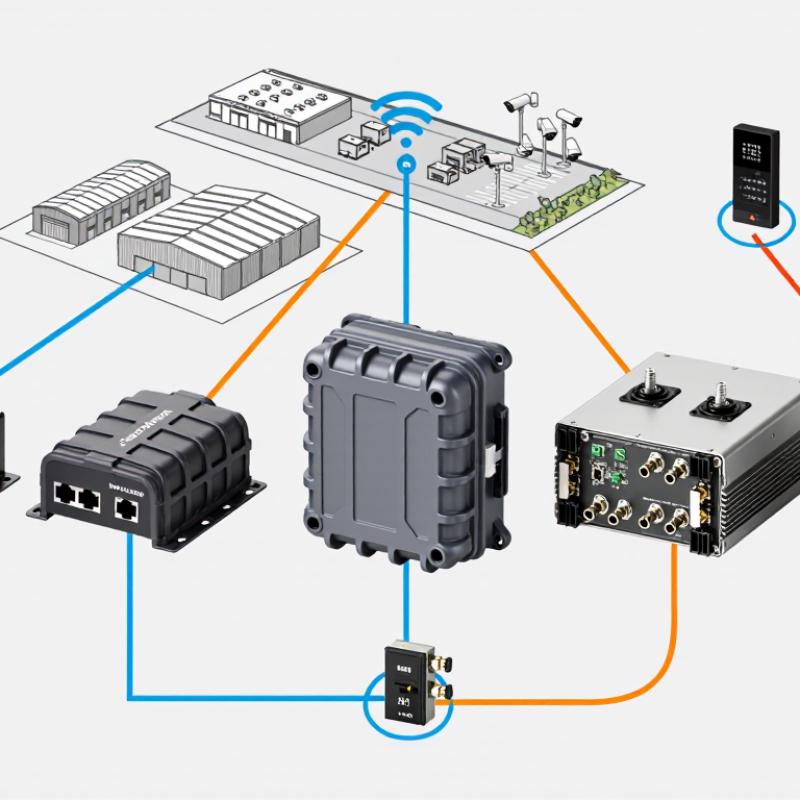
A PoE extender receives both data and electrical power through an Ethernet cable, then forwards them to a downstream device. It can help connect a camera at the far end of a warehouse or a wireless access point in a long corridor. The extender does not create unlimited power or distance. Each cable segment, device load, and connection affects the usable reach.
Power transmission usually follows one of two methods. A PoE-powered extender draws energy from the incoming Ethernet line and shares the remaining budget with its output port. A locally powered model uses a separate power supply, which can provide more flexibility when the upstream switch has limited capacity. Check the extender’s supported PoE standard and output rating against the device’s actual demand, especially during startup or infrared illumination. Small details matter.
Data and power share the same cable, but they face different limits. Standard Ethernet links typically allow up to 100 meters per segment; an extender can renew the link for another segment, subject to its specifications and the installation. Use suitable copper cabling, secure connectors, and allow for voltage drop under load. In practice, tidy diagrams can hide messy cable routes. Measure the real path, not just the distance between two points.
2026 Top PoE Extender Types for Global Buyers
Copper-Based PoE Extender Types for Different Network Distances
For a short extension, a single-port Ethernet PoE extender is usually the simplest copper option. It receives data and power over twisted-pair cable, then repeats them toward a remote device. TIA-568 cabling guidance sets a familiar 100-meter channel limit for balanced copper Ethernet. An extender can bridge another segment, but actual reach depends on cable quality, power load, and device specifications. Distance is not free.
For longer runs, installers may cascade compatible extenders or use a long-reach copper system designed for the site. IEEE 802.3at specifies up to 30 watts at the power-sourcing equipment, while 802.3bt Type 4 supports up to 90 watts. Those are source-side figures, not guaranteed power at the camera or access point. Each added link and extender consumes part of the available budget. Check voltage drop and endpoint demand, especially with outdoor cameras in cold weather.
Multiport extenders suit several nearby endpoints, but they do not automatically increase each cable run’s reach. Where coaxial cable already exists, copper-based Ethernet-over-coax equipment may reuse that route; achievable distance and throughput vary by product and cable condition. IEEE and TIA standards provide useful design baselines, yet field results can be less tidy. Measure the installed cable, verify the power budget, and test the complete link before deployment.
| Extender Type | Typical Copper-Link Layout | Practical Distance Planning | Common Ethernet and PoE Support | Power and Installation Considerations | Suitable Applications |
|---|---|---|---|---|---|
| Single-port inline extender | One extender installed between the PoE source and a powered device, using copper Ethernet cable. | Plan for up to 100 m per standard Ethernet segment. Some compatible systems can extend a link to roughly 200 m with one extender; confirm the device’s tested limits. | Commonly available in 10/100 Mb/s or Gigabit versions. PoE input and output standards vary by model. | The extender may draw operating power from the PoE input. Available output power is reduced by cable loss and the extender’s own consumption. | One remote camera, access point, intercom, or other PoE device beyond the original cable run. |
| Cascade-capable extender | Two or more compatible extenders connected in series along a copper Ethernet route. | Several segments can provide a longer overall link, but cumulative reach is model- and cable-dependent. Treat 300–500 m as a planning example only when the complete system is specified for that distance. | Some models support multiple cascaded units; data rate and maximum cascade count must be checked for the selected equipment. | Each extender and cable segment affects the remaining power budget. Verify total PoE input requirements, output power at the final device, and any cascade limits. | Long corridors, campus buildings, parking areas, and perimeter routes where fiber is not being used. |
| Multi-port PoE extender | One incoming copper PoE link feeds several downstream Ethernet ports. | Each output is subject to the extender’s per-port and total-power limits, as well as the Ethernet distance limit for each segment. | Port speeds and supported PoE standards differ by model; check whether all ports can deliver PoE simultaneously. | The shared input power must cover the extender plus every connected device. The combined output budget is often lower than the input power. | Small groups of cameras or sensors located near one another, such as at an intersection or building entrance. |
| Gigabit PoE extender | Inline copper extender designed to preserve Gigabit Ethernet over the supported extended-link configuration. | Standard Ethernet channel guidance remains up to 100 m per segment. Any extended distance beyond that depends on the extender’s specifications and installation conditions. | Designed for 1000BASE-T where supported; confirm the extender, cabling, and connected equipment all support the required speed. | Higher link speed does not remove PoE power-loss limits. Check cable category, conductor quality, temperature conditions, and the device’s power draw. | Higher-bandwidth cameras, wireless access points, and network devices that need Gigabit connectivity. |
| Industrial or outdoor-rated extender | Inline or multi-port unit installed in a protected enclosure or an appropriately rated field housing. | Distance depends on its Ethernet design and cable route; standard segment guidance is up to 100 m unless the product specifies a tested extended mode. | May offer 10/100 Mb/s or Gigabit ports and varying PoE support. Environmental ratings and operating-temperature ranges are product-specific. | For outdoor or industrial sites, check ingress protection, operating temperature, surge protection, grounding, and the need for a separate enclosure. | Outdoor cameras, roadside equipment, warehouses, factories, and other demanding installation environments. |
| Long-reach, reduced-speed extender | Specialized copper link using an extender pair or a proprietary long-reach mode. | Some systems specify several hundred metres, but the achievable distance depends on the product, cable type, data rate, and power load. | May use a lower data rate or a non-standard link mode rather than ordinary 100 m Ethernet channel operation. | Follow the manufacturer’s distance and power tables. Confirm interoperability, link speed, and PoE output before deployment. | Low- to moderate-bandwidth devices on long existing copper runs where the specified system meets the application requirements. |
Planning note: Standard Ethernet copper channel guidance is up to 100 m, typically comprising up to 90 m of permanent cabling and patch cords. Extended distances are product-specific, not guaranteed by the Ethernet cabling limit. PoE power also decreases with cable and device losses; IEEE 802.3af, 802.3at, and 802.3bt specify different power levels, so verify the available power at the powered device and the extender’s compatibility before purchase.
2026 Top PoE Extender Types for Global Buyers
Fiber, Wireless, and Hybrid PoE Extender Solutions
Cisco’s Annual Internet Report projected 29.3 billion networked devices and connections worldwide by 2023. More connected cameras, access points, and sensors mean longer, more varied network runs. Yet distance alone should not decide the design.
Fiber carries data over long distances and resists electrical interference, but it does not carry PoE power. A remote switch or injector must power devices at the far end. IEEE 802.3bt supports up to 90 watts at the power-sourcing equipment, with up to 71.3 watts available to a powered device. Check the device’s actual power draw, cable loss, and temperature. Measure twice.
Wireless bridges can link buildings where trenching is impractical. Their performance depends on line of sight, interference, and local conditions, so test the route before installation. Hybrid layouts often use fiber between buildings, then short copper PoE runs to cameras or access points. This separates long-distance data transport from local power delivery. It is not always the cheapest choice, and site surveys can be rushed; verify bandwidth, backup power, and mounting locations before ordering. Sources: Cisco Annual Internet Report, 2018–2023; IEEE 802.3bt.
PoE extenders can solve distance problems, but standards and power budgets decide whether a link actually works. An IEEE 802.3af source provides up to 15.4 W; the powered device may receive only 12.95 W after cable loss. For 802.3at, the corresponding limits are 30 W and 25.5 W. Higher-power 802.3bt equipment needs closer checking. Small differences matter.
An extender uses some incoming power to operate and may pass less power downstream. Check its input standard, output standard, and stated power budget at the far port—not just the headline wattage. A camera with infrared lighting, for example, may draw more at night than during setup. Leave practical headroom. A long or damaged cable can also cause voltage drop, especially with multiple extension stages.
Compatibility is more than matching plug shapes. Confirm that the source, extender, and endpoint support compatible IEEE modes and pin assignments; passive PoE should not be assumed interchangeable with standards-based PoE. Some extenders need their own power supply, while others rely entirely on upstream power. Read the installation limits carefully. A lab test is not a guarantee in a hot ceiling void with thin cable. Allowing extra margin costs a little, but guessing can mean intermittent resets. Easy to overlook.
Global buyers should select a PoE extender by measured load, cable route, climate, and service access—not headline distance. MarketsandMarkets estimated the PoE market at USD 1.5 billion in 2023, projecting USD 2.6 billion by 2028. Growth makes compatibility more important, not less. IEEE 802.3bt Type 4 allows up to 90 W at the source, with at least 71.3 W available to the powered device across a compliant channel. An extender also uses part of that power budget. Small detail, big consequence.
For a gate camera, check peak draw, heater, infrared illuminator, and startup demand against the extender’s output. Compare single-port and multi-port models by total power budget, not port count alone. Keep each copper channel segment within Ethernet’s 100-meter limit, and verify input voltage, temperature range, enclosure rating, and surge protection for the site. A sealed cabinet can run hot. Cable records are often imperfect; measure the installed route. Ask suppliers for full-load voltage and link-stability test results using the cable type you plan to deploy. Check it onsite.
It receives data and power through Ethernet, then forwards them to another device. It can help reach a camera in a distant warehouse.
Ethernet cable segments typically support up to 100 meters each. An extender may add another segment, within its specifications. Measure the actual cable route.
A PoE-powered extender shares power from the incoming cable. A locally powered model uses a separate supply and may suit sources with limited power.
It depends on the source, cable loss, and extender’s own use. Check the stated output budget at the far port, not just headline wattage.
Infrared lighting, heaters, or startup demand can raise a camera’s draw. A camera may work during setup, then reset at night.
Confirm compatible input and output standards, plus the endpoint’s actual power demand. For example, 802.3at provides up to 30 W at the source and 25.5 W to the powered device.
No. Check supported modes and pin assignments. Do not assume passive PoE is interchangeable with standards-based PoE.
Cable quality, voltage drop, heat, enclosure rating, and surge protection all matter. A sealed cabinet can run hot.
Request full-load voltage and link-stability results using your planned cable type. Then check the installed route onsite. Cable records can be imperfect.
This guide explains how a PoE Extender carries both data and power beyond the usual reach of an Ethernet connection, helping networks serve devices in locations that are harder to access. It compares copper-based options for different distance and installation needs, alongside fiber, wireless, and hybrid solutions that can bridge longer gaps or challenging routes. Each approach involves trade-offs in reach, capacity, infrastructure, and deployment complexity.
The guide also covers PoE standards, available power budgets, and compatibility between extenders, network equipment, and powered devices. For global buyers, choosing a suitable PoE Extender means assessing distance, device power requirements, connection type, environmental conditions, existing infrastructure, and future expansion plans. Careful planning and checking specifications before installation can help ensure a reliable, efficient deployment.
